 BlueKit
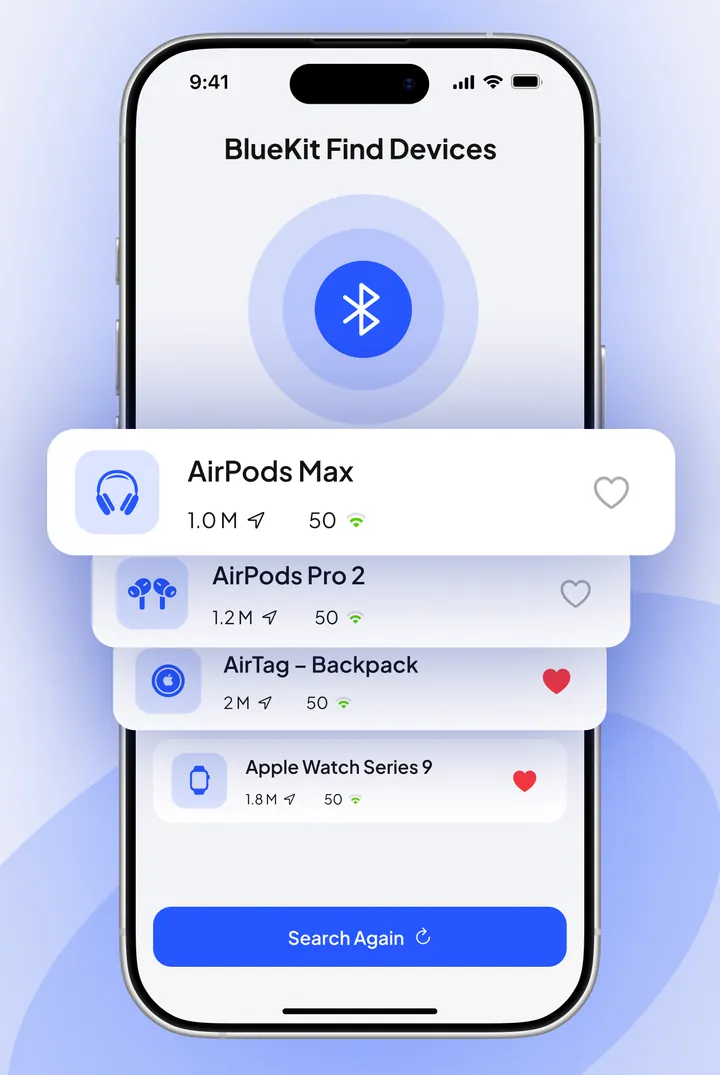
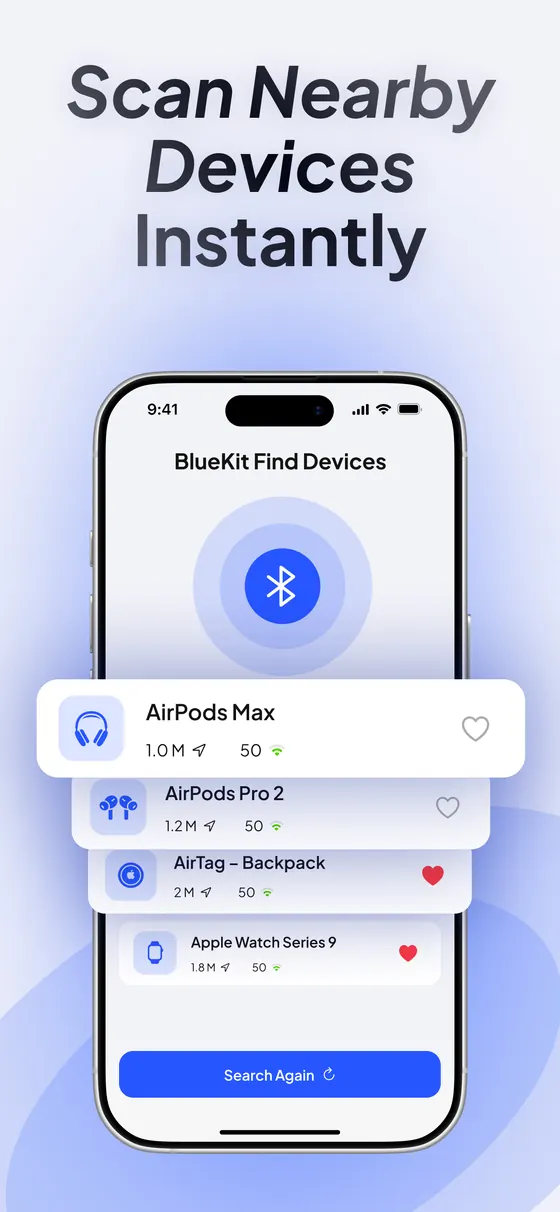
Scan nearby devices
One tap lists every Bluetooth device broadcasting around you, from earbuds and headphones to watches, speakers, keyboards and trackers.
Bluetooth device finder for iPhone
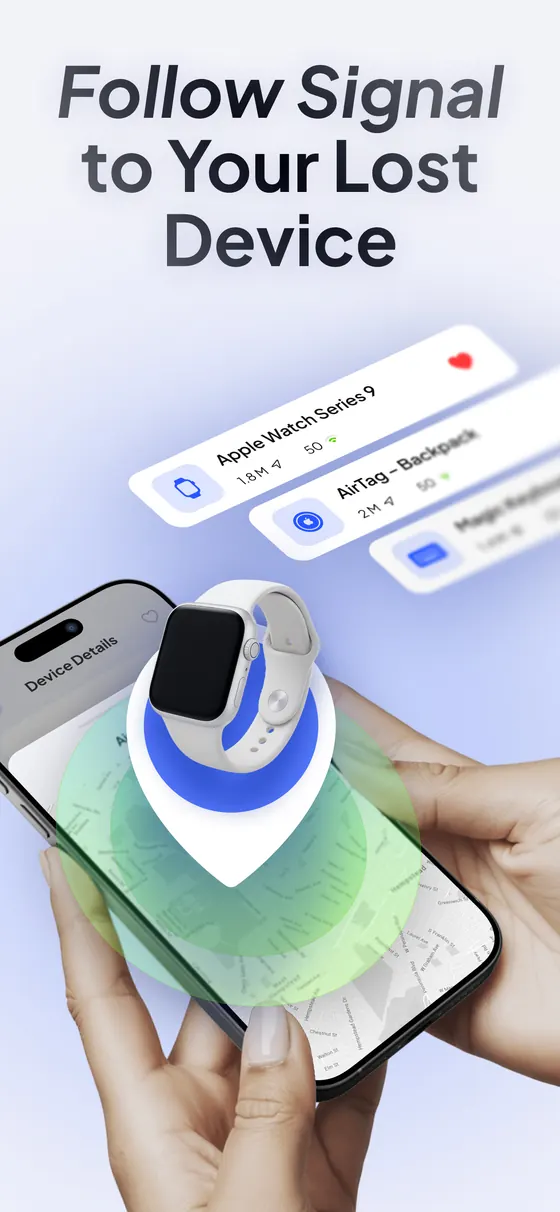
BlueKit scans for Bluetooth devices around you and shows how close each one is. Watch the signal get stronger as you walk, and follow it until your AirPods, headphones or watch turn up.
Free download · Requires iOS 15.6 or later
BlueKit turns your iPhone into a Bluetooth detector. It listens for the signal your devices broadcast and shows you whether you're getting closer.
One tap lists every Bluetooth device broadcasting around you, from earbuds and headphones to watches, speakers, keyboards and trackers.
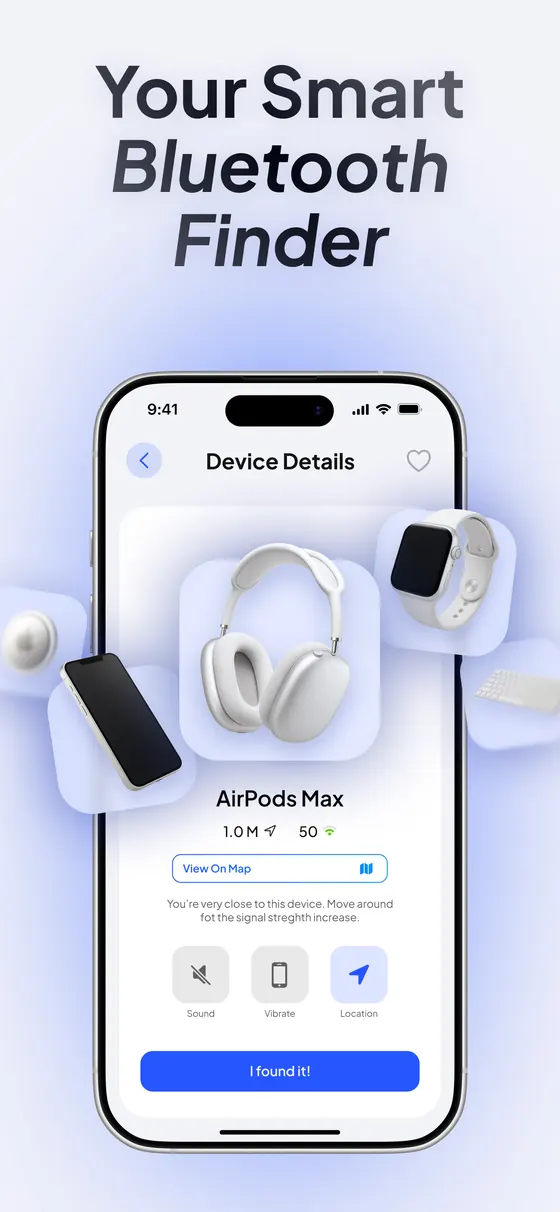
A five-level signal meter updates as you move. Stronger means closer, so you can play hot-and-cold around the room until you find it.
See roughly how far away each device is, in meters, calculated from its Bluetooth signal and refreshed every couple of seconds.
Turn on alerts and your iPhone beeps or vibrates when you're within a few meters, so you can keep your eyes on the floor instead of the screen.
Mark the devices you care about, like your AirPods or your watch, so they stand out every time you scan.
Open a map of where you're searching to keep your bearings while you retrace your steps.
If it's powered on and broadcasting Bluetooth nearby, BlueKit can pick it up. Apple devices are recognized by name and get their own icon.
 AirPodsAirPods, AirPods Pro and AirPods Max
 SmartwatchesApple Watch and fitness trackers
 AirTagWhen it's within Bluetooth range
 Keyboards and miceMagic Keyboard, Magic Mouse and more
 Apple PencilWhile it's charged and awake
 SpeakersHomePod and Bluetooth speakers
 Mac and iPadLaptops and tablets nearby
 Any Bluetooth deviceHeadphones, earbuds and trackers from other brands
Open BlueKit and allow Bluetooth access. Nearby devices appear within seconds.
Tap your AirPods, headphones or watch to open its live signal and distance.
Walk around slowly. When the signal climbs and the distance drops, you're close. Tap I found it!

BlueKit can only detect a device while it's sending a Bluetooth signal. These checks solve most searches.
Bluetooth must be on in Control Center or Settings, and BlueKit needs Bluetooth permission.
Earbuds inside a closed charging case often stop broadcasting. Single earbuds out in the open are easier to detect.
A device with an empty battery can't send a signal, so it won't show up in any Bluetooth scan.
Bluetooth usually reaches around 10 meters (33 feet), less through walls. Search room by room where you last used it.
Signal readings bounce around. Pause for a few seconds in each spot and watch the trend, not a single number.
Headphones connected to another phone or laptop may stop advertising. Turn Bluetooth off on your other devices while you search.
BlueKit reads Bluetooth signals directly on your device. You don't need an account, and your scan results and favorites are never uploaded.
BlueKit is a Bluetooth device finder for iPhone. It scans for nearby Bluetooth devices and shows each one's live signal strength and estimated distance, so you can walk toward a lost device until you find it.
| Platform | iPhone, iOS 15.6 or later |
|---|---|
| What it finds | AirPods, headphones, earbuds, smartwatches, fitness trackers, AirTag, keyboards, mice, speakers and other Bluetooth devices |
| How it works | Measures the Bluetooth signal strength (RSSI) of nearby devices on your iPhone |
| Range | Typically about 10 meters (33 feet), depending on walls and the device |
| Shows | Five-level signal meter and an estimated distance in meters |
| Alerts | Sound and vibration when you're within a few meters (Premium) |
| Account | Not required |
| Price | Free download; BlueKit Premium unlocks every feature |
Lost your AirPods at home, in the car or at the gym? Check Find My first, then follow their Bluetooth signal with your iPhone to pinpoint the exact spot.
Read the guide →Find lost headphones, earbuds, a smartwatch, fitness tracker or speaker with your iPhone by following its Bluetooth signal. How it works, what the signal means and what to check.
Read the guide →Most Bluetooth devices constantly broadcast a small radio signal. BlueKit measures how strong that signal is on your iPhone and turns it into a signal meter and a distance estimate. As you walk toward the device the signal gets stronger, which tells you you're getting closer.
Yes, as long as they're powered on and within Bluetooth range. AirPods broadcast most reliably when they're out of the charging case or the lid is open. If they're in a closed case or the battery is empty, they may not show up.
Find My shows where your Apple devices were last seen on a map and can play a sound on them. BlueKit works up close: it shows the live Bluetooth signal of any nearby device, including headphones, trackers and watches from other brands that aren't in Find My. Many people use both.
Bluetooth typically reaches about 10 meters (33 feet) indoors, sometimes more in open spaces and less through walls. Start searching where you last used the device.
It's an estimate. BlueKit calculates distance from signal strength, and walls, furniture, bodies and even the device's orientation change that signal. Treat it as a guide to whether you're getting warmer or colder, not as a precise measurement.
No. A device that's off or out of battery doesn't send a Bluetooth signal, so no Bluetooth scanner can detect it. In that case, check Find My or the device maker's app for its last known location.
Make sure Bluetooth is on and BlueKit has Bluetooth permission, take earbuds out of their case, and check that the device has battery. Headphones that are connected to another phone or laptop may stop broadcasting, so turn Bluetooth off on your other devices while you search.
BlueKit is free to download and scan with. BlueKit Premium unlocks sound and vibration alerts, favorites and the map view.
No account is needed. Bluetooth scanning happens on your iPhone, and your scan results and favorites stay on your device. BlueKit uses basic app analytics and a purchase service; the privacy policy lists exactly what they receive.
Download BlueKit, start a scan and follow the signal.
Download on theApp Store